Manage your account#
Your account page links Battle.net, makes you a calendar link, marks your away dates, and deletes your account.
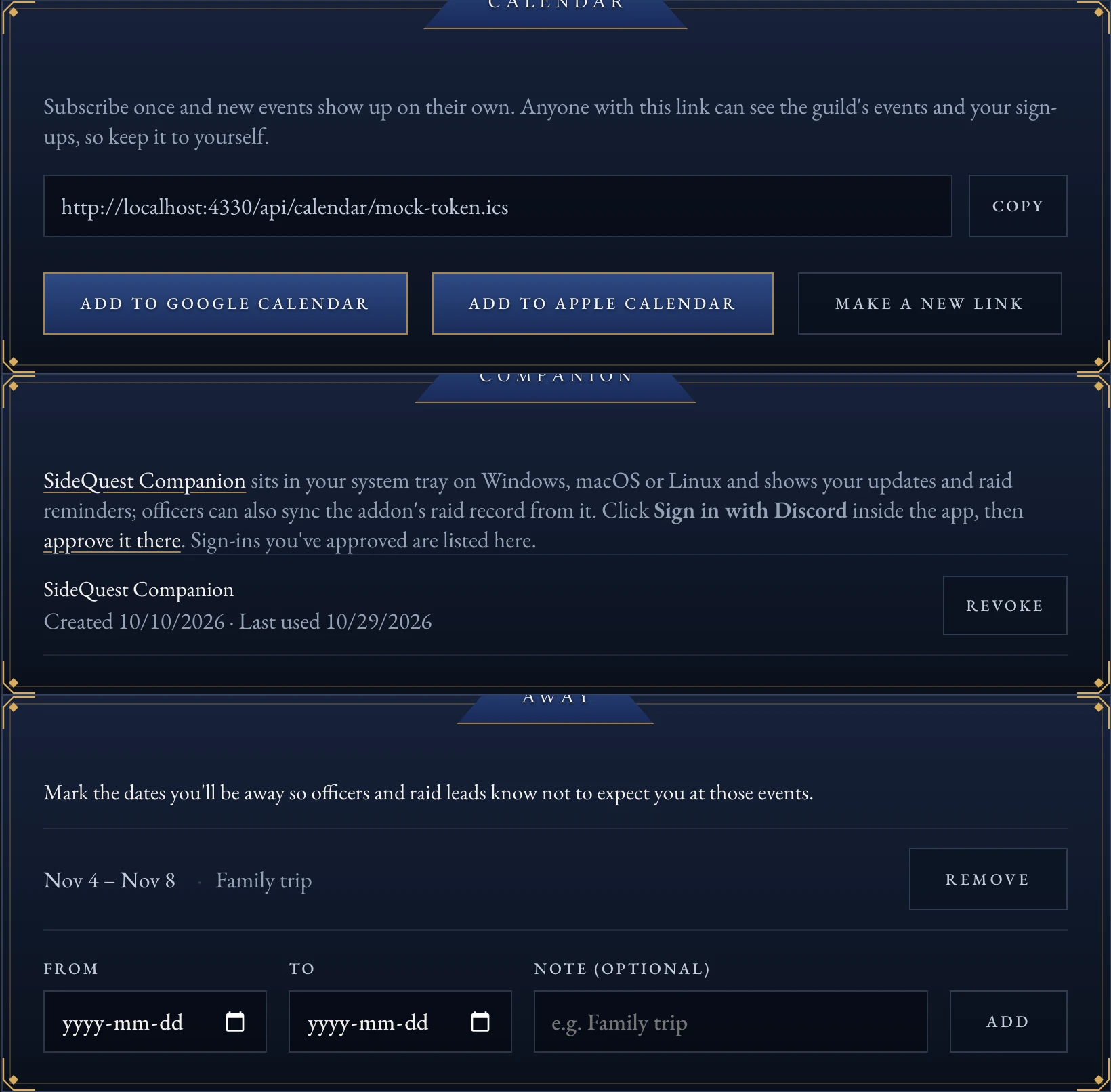
The account page’s chambers: Calendar, Companion and Away.#
Link or unlink Battle.net#
Go to your account page.
Select Link Battle.net and sign in.
To remove it later, select Unlink Battle.net.
Warning
Unlinking erases your Battle.net account ID and BattleTag right away. Officers can no longer match you to your characters until you link again.
Get a calendar link#
On your account page, find Calendar.
Select Add to Google Calendar or Add to Apple Calendar, or copy the link and add it to another calendar app yourself.
New events you’ve signed up for show up on their own from then on.
Note
Anyone holding your calendar link can see the guild’s events and your sign-ups. Keep it to yourself.
Make a new calendar link#
On your account page, select Make a new link.
The old link stops working right away.
Mark away dates#
On your account page, find Away.
Enter a From and To date, and an optional note.
Select Add.
While a range is active, raid leads see you’re away on any event in that range, and you get the Away on a Quest Discord role.
Delete your account#
Warning
Deleting your account erases your SideQuest profile, every event sign-up and your Discord chat XP, and signs you out. It also removes you from the guild on Discord: you lose your roles and the guild channels disappear until you sign in again and a Quest Master confirms you.
On your account page, scroll to Danger Zone.
Select Delete my account.
Select Yes, delete my account to confirm.
Moderation records in Discord (warnings, timeouts, bans) stay after you delete your account; ask an officer about those. See the privacy page for the full list of what the site and bot keep, and what deleting removes.