
Mark attendance#
Mark who came to an event on the website’s Officers page, under the Attendance tab.
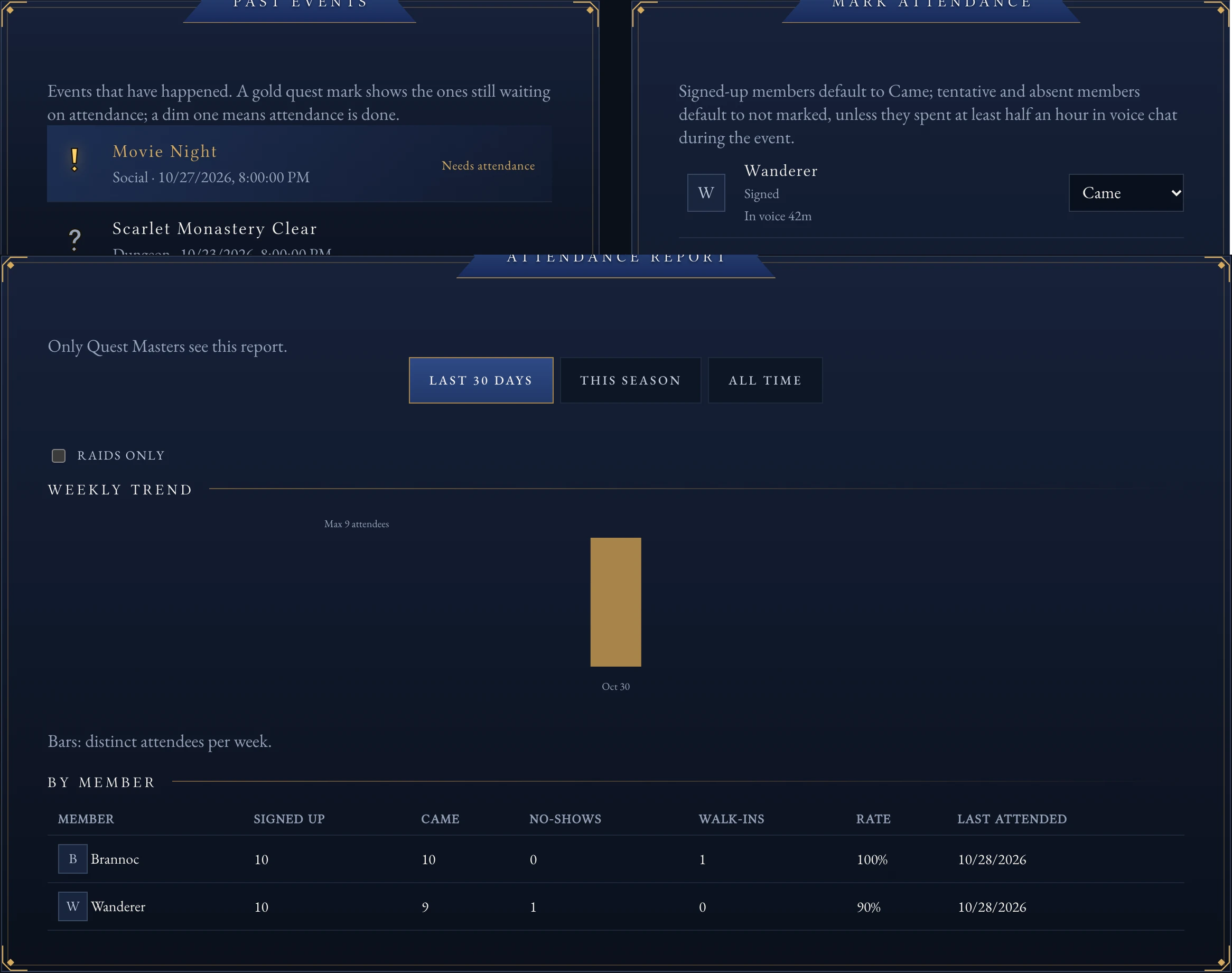
The Attendance tab: pick a past event, then mark who came.#
Mark an event#
Go to the Officers page and select Attendance.
Under Past events, select an event with a gold quest mark. A dim mark means attendance is already done.
Check each sign-up’s mark. Signed-up members default to Came; tentative and absent members default to not marked, unless voice minutes suggest otherwise.
Select Save attendance.
Note
Anyone who spent at least 30 minutes in the guild’s voice channels during the event is marked Came already. Adjust it only when someone attended without using voice, or the voice count is wrong.
Add a walk-in#
A walk-in is someone who came without signing up first.
Under Walk-in, choose the member.
For raids and dungeons, fill in their character, class and role.
Select Add walk-in.
Select Save attendance to record it.
The attendance report#
Quest Masters also see an attendance report and trend chart on the Attendance tab, for the last 30 days, this season, or all time, with a filter for raids only.
Note
One correction to an event’s attendance updates the Hall of Heroes, badges, Renown and the attendance report together. There is only one rule for who counts as attended, applied everywhere.