Find and join events#
SideQuest plans raids, dungeons, leveling groups, PvP and social nights on the events page and in Discord’s events forum. Sign up in either place; both update the same sign-up.
Find an event#
Go to the events page.
Select a kind from the tabs (All, Raids, Dungeons, Leveling, PvP, Social, Transmog, Other) to narrow the list, or leave it on All.
Select an event to open it and see its roster and raid chart.
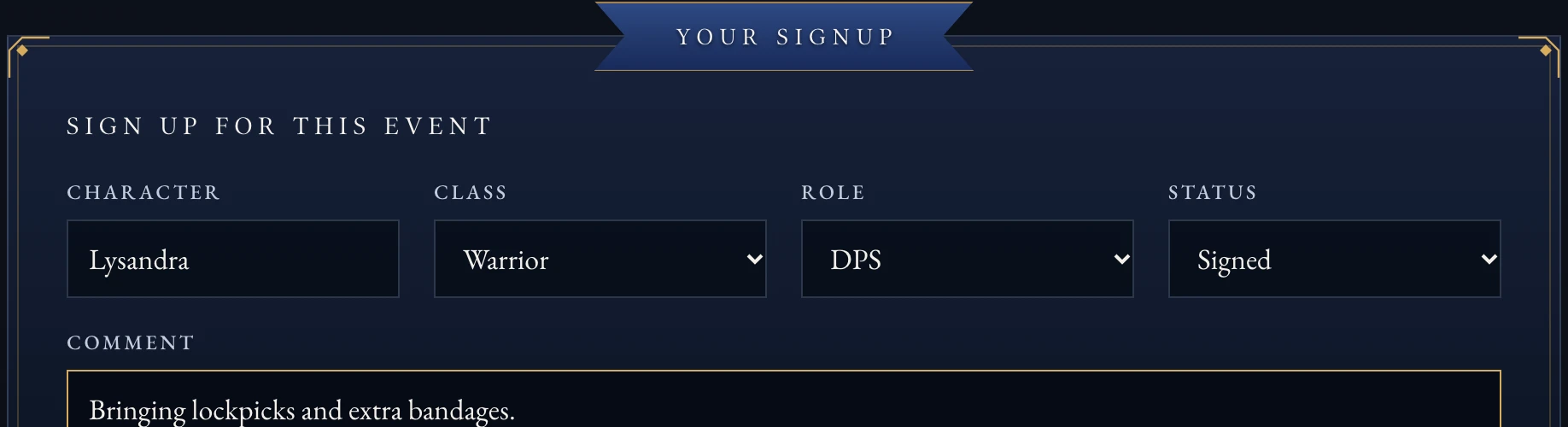
Signing up for a raid: pick your character, class and role, then your status.#
Sign up on the site#
Sign in with Discord if you haven’t already.
Open the event.
Under Your signup, fill in your character, class and role (raids and dungeons only).
Choose your status.
Select Save signup.
Note
A comment on your sign-up shows to other signed-in members and is repeated in the event’s Discord thread. Don’t put anything in it you wouldn’t say in guild chat.
Sign up in Discord#
Every event has a post in the Discord events forum with three buttons:
Going
Maybe
Can’t
For a raid or dungeon, the bot asks for your character, class and role the first time you use these buttons, then reuses them next time.
Change or cancel your sign-up#
Open the event on the site.
Change your status, or select Withdraw to remove your sign-up.
Changing your answer in Discord updates the site too, and the other way around.
Get a calendar link#
Add a private calendar link from your account page so new events show up in your own calendar app without checking the site. See Manage your account for how.
Mark away dates#
If you know you’ll miss some events, mark the dates on your account page. Raid leads see you’re away on any event in that range, and you get the Away on a Quest Discord role for those days.